

Made for music.
Ready for release.
Drop in your track and your cover, pick where it is going, and get a spinning vinyl video in the exact shape that platform wants.
- Free to start
- Five formats, specs handled
- No design skills needed
Nine seconds. Since 2019.
myBeat.io launched in 2019 with one mission: the easiest way to make a spinning vinyl video. Drag in a track and a cover, and about nine seconds later it is ready for your socials.
That button is still here, still free to start. What changed is everything around it: every format, your own look, and the control to make it yours.
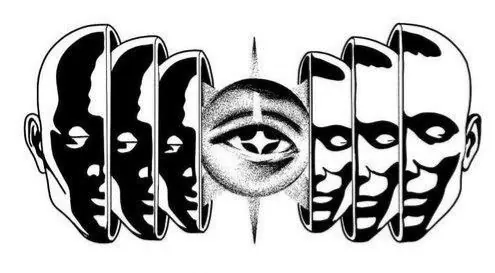
Take it apart. Put it back.
A video is a stack: the canvas, the record, its label, the sleeve, overlays, your type and your logo. Every layer is a setting you control.
- CanvasYour cover, softly blurred
- RecordBlack vinyl, grooves, 33⅓
- LabelYour artwork in the centre, set apart from the record
- SleeveYour artwork, slid open
- OverlaysA touch of grain, leak, vignette
- TextInter Black, Space Grotesk
- LogomyBeat.io, top right
Colours picked straight from your cover.
Upload artwork and Studio pulls its key colours into every colour picker. Use them on the record, the background and your title.
Three of fifteen. Every frame yours to scrub.
Studio ships ten record entrances and five title animations, each with its own speed. Here are three, played by your scroll: down to play, back up to rewind.
Plus 9 more: Fade, Rise, Pop, Drop, Zoom out, Blur in and Roll in for the record, and Fade or Blur in for a title.
One frame. Every shape.
Every release needs a feed post, a Reel, a YouTube upload and a Spotify Canvas, each with its own ratio and rules. Pick where it is going and the record and text rebalance to fit.
 mattasonFollow
See what the app covers, before it does.
Instagram, TikTok and YouTube lay their buttons and captions over your video. Switch on the safe zones before you export and the covered areas light up, so your title never lands under a like button.
Free to start. Resident for the full kit.
Scroll to export a Resident design on the free plan. Everything Resident comes off, one feature at a time, until the free square is left. Scroll back up and it all comes back.
- Sleeve
- Label
- Record texture
- Canvas blur
- Overlays
- Motion effects
- Text
- Your logo
- Every format
- 60 fps and 2K
- Full audio section
- No myBeat mark
Out into the world.
The right size for where it is going, one project duplicated to every shape.
Your next release deserves its own look.
Start with the vinyl video: your track, your cover, every format it needs.
- Free to start
- Unlimited videos on Resident
- Cancel anytime